Features
The whole identity, ready for your agent
A real inbox to read. An identity to reuse. A history to return to. Manage it all in the app, or give your agent access through API and MCP.
Real email and saved context for agents
Connect your AI tool through the local MCP bridge, or use the REST API from your own scripts. Your agent can find a persona, read the real emails your app sends it, and save a note about the result. When a new session starts, it can read that persona's activity and pick up the work with context.
- Read persona identities with scoped, revocable API keys
- Find email by sender, subject, and arrival time
- Read message content for signup and recovery tests
- Read activity and save notes across test sessions
- Local MCP bridge and REST API setup guides
- Email quotas and retention follow your plan
Dana Whitfield
d.whitfield417
Saved activity
Monday · agent note
Signup completed. Welcome email received.
Wednesday · agent note
Password reset tested. Account accessible.
Next agent session
“Use Dana to test the new sign-in flow. Check her previous runs first.”
Read Dana’s identity and saved activity
Find this run’s sign-in email in her inbox
Save a note for the next run
Whole identities, not just names
Pick a country, a state or province, and optionally a city. Persona Kit fills in the rest so the identity hangs together: a working email address on a Persona Kit domain, a street address with a real postal code for that area, a date of birth, a phone number with a plausible area code, a username, and a device profile whose timezone and language match where the persona claims to live.
- A working email address, generated with the persona
- 20 countries with state and province granularity
- US personas support city-level addresses
- Generated address, date of birth, phone, and username
- Device, OS, screen, language, and timezone profile
you choose
- country
- United States
- region
- Oregon
- city
- Portland
generated to match
- d.whitfield417
@tigertraderkit.com - street
- 1042 SE Morrison St
- zip
- 97214
- phone
- +1 503 555 0148
- timezone
- America/Los_Angeles
- language
- en-US
- born
- 1990-03-22
A real inbox per persona
Every persona can be given its own address on a Persona Kit domain, and that address genuinely receives mail. Use it for signups and verification codes without those accounts pointing back at your own inbox. You can also forward a persona's mail on to an address you actually watch.
- A dedicated, working address per persona
- Read, star, archive, and search across all inboxes
- Optional forwarding to your real address
- Daily digests, or hourly on Pro
Your verification code is 448190
Confirm your email address
Welcome to your new workspace
Password reset requested
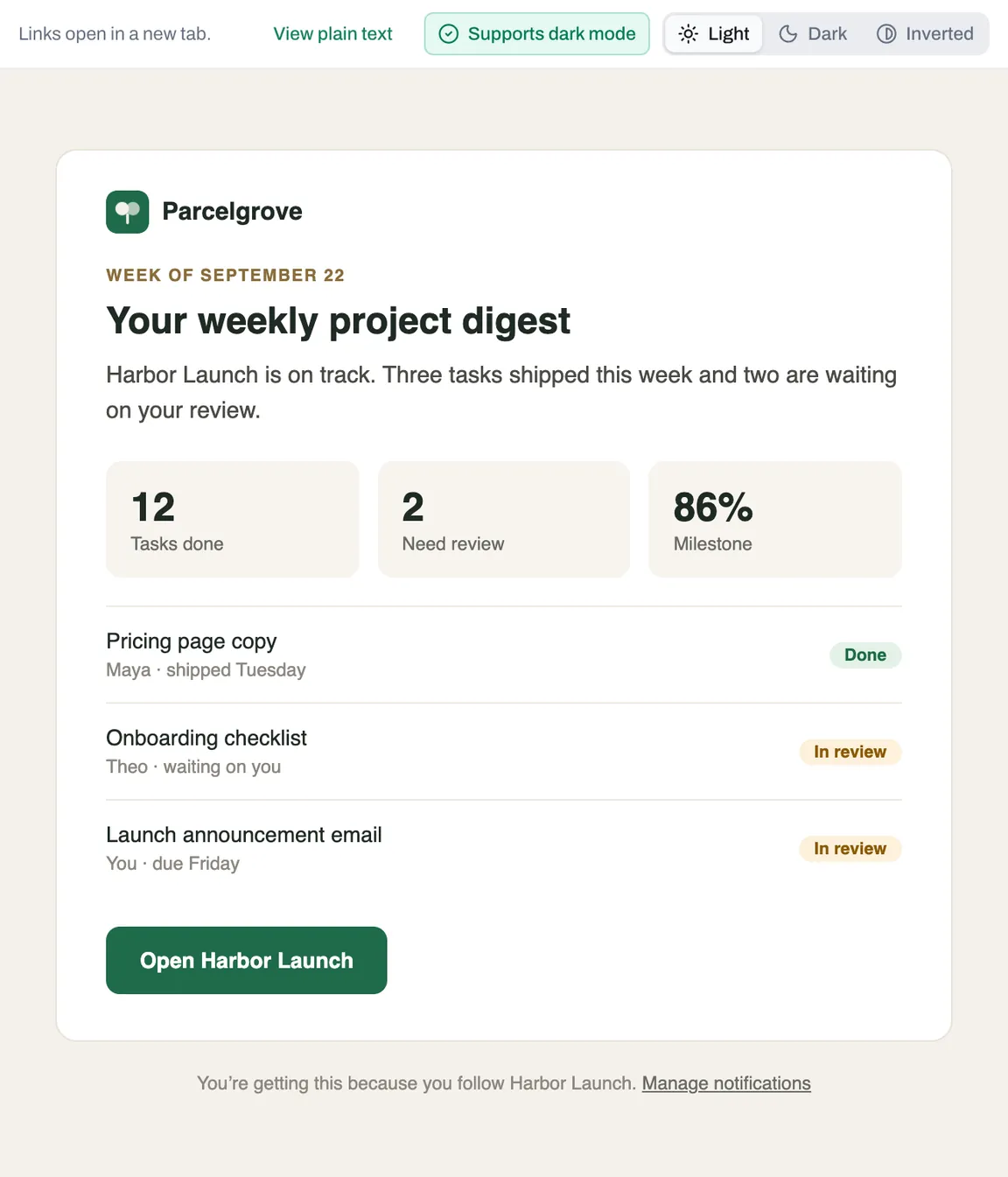
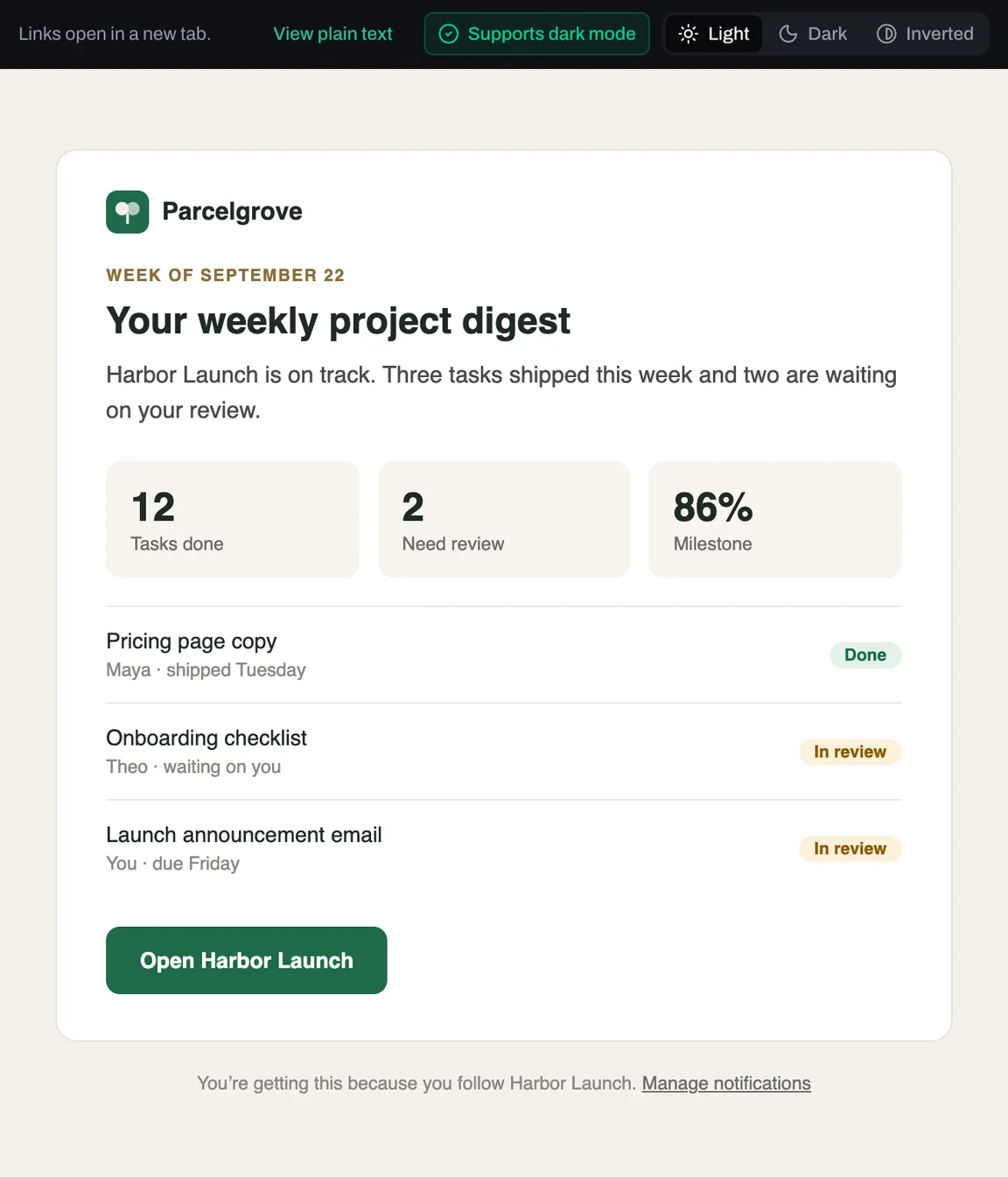
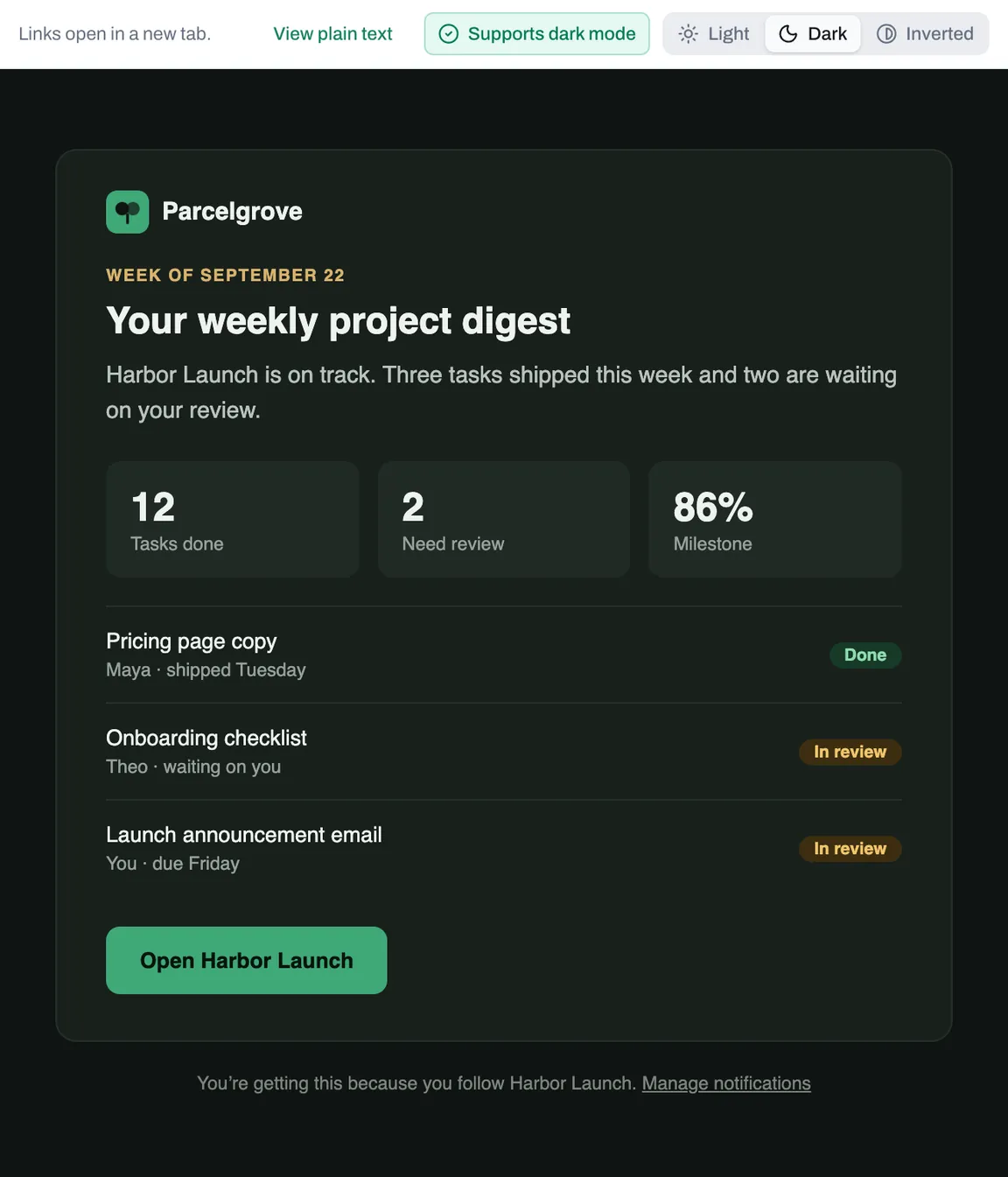
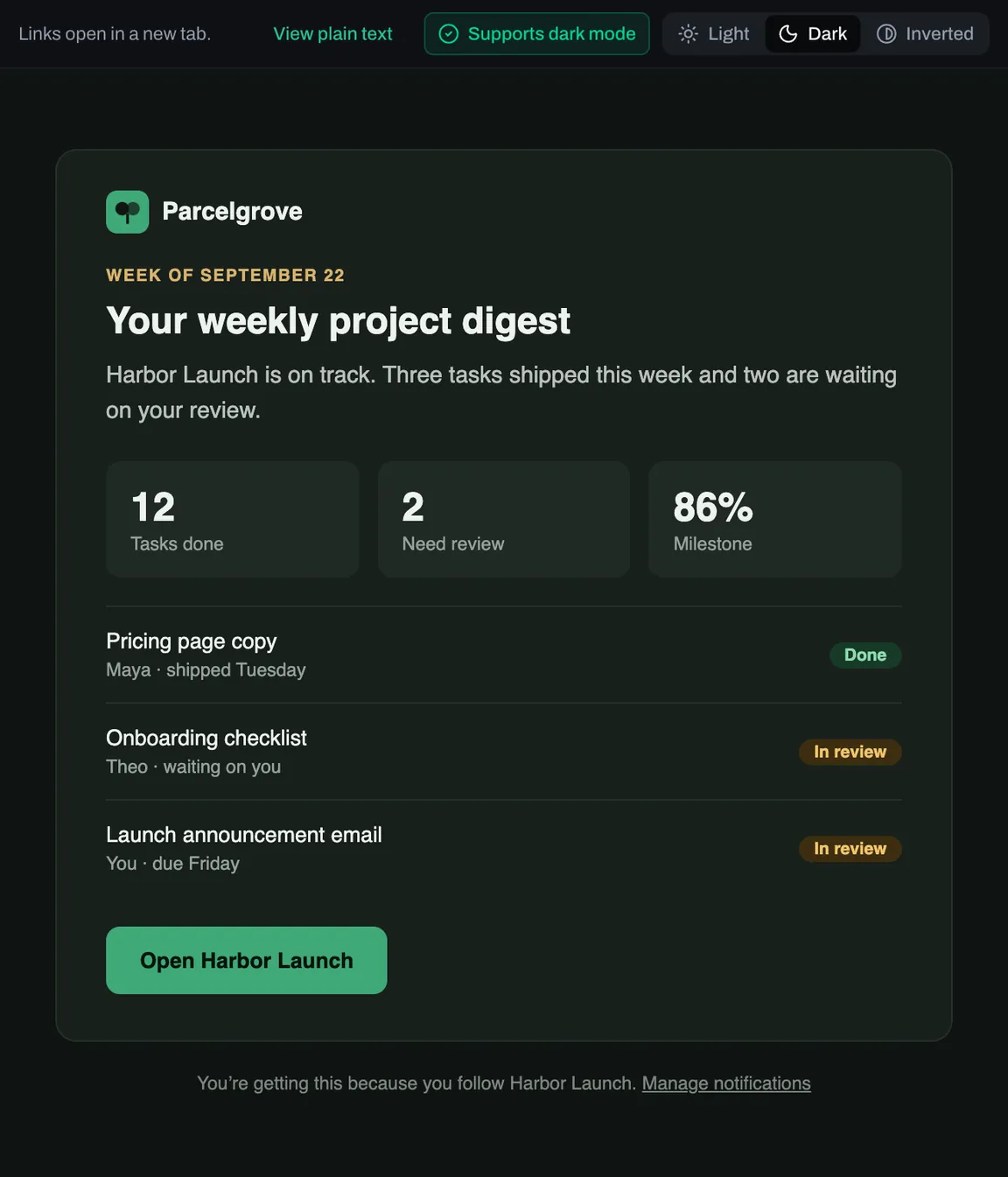
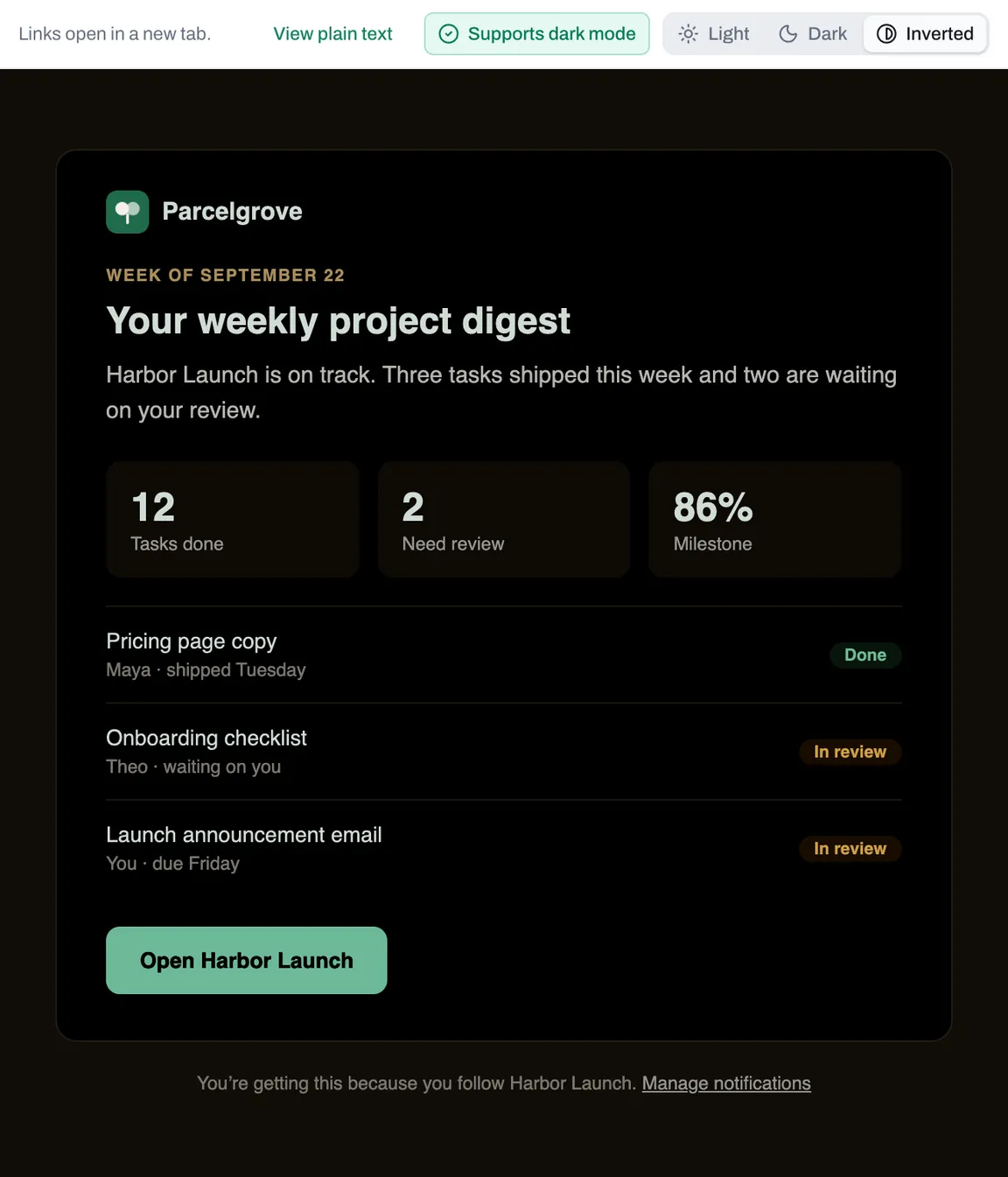
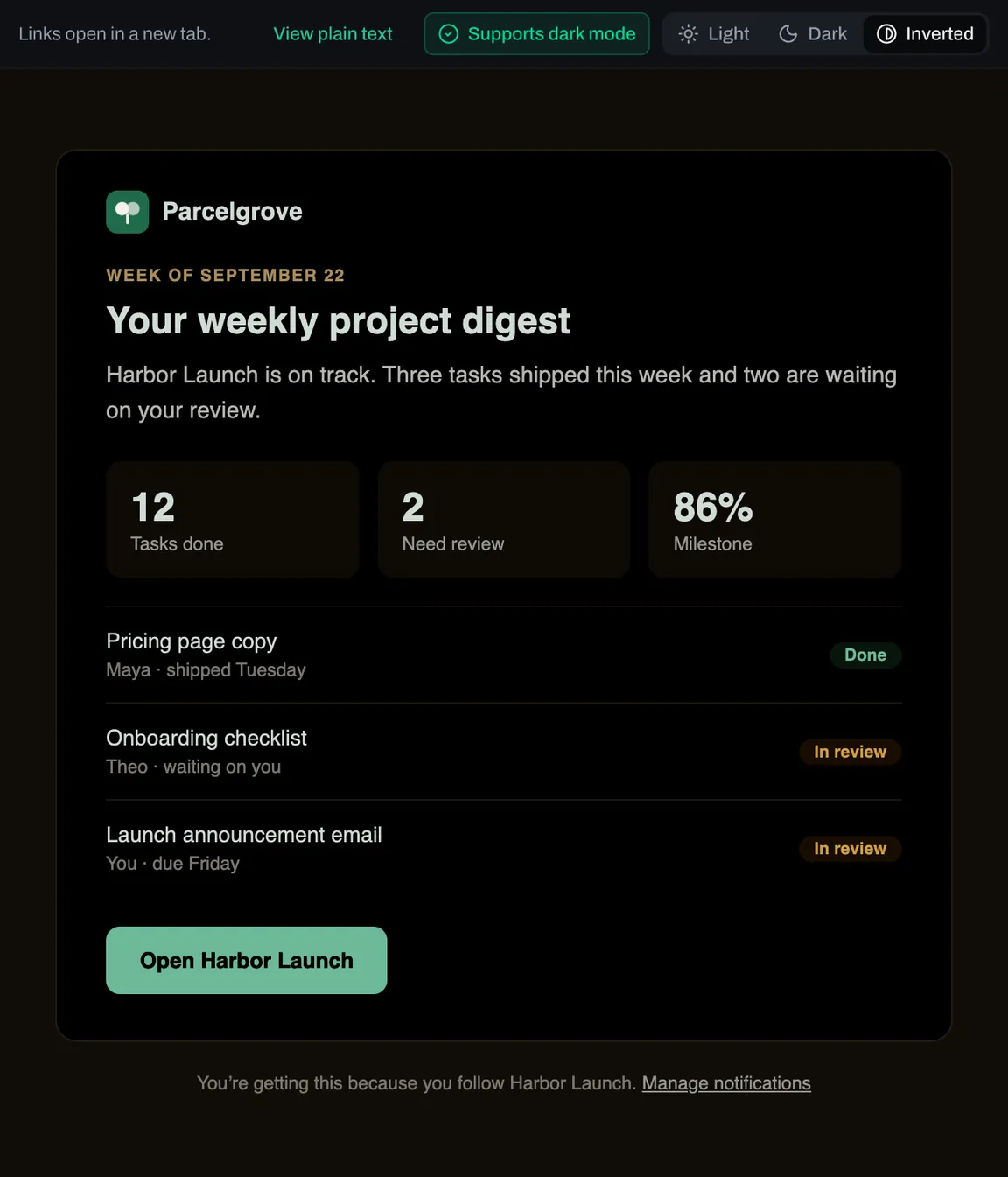
Every email in light, dark, and forced dark
An email that looks right on white can fall apart in dark mode. Mail opens in the theme you use Persona Kit in, and each message is marked with whether its design supports dark mode. Switch any message between its light design, its own dark mode styles, and the inverted colors of mail apps that force dark mode. Send a build to a persona and check all three before your readers do.
- Opens mail in dark mode when you use the dark theme
- Flags each design: supports dark mode, partial, or none
- Checks for prefers-color-scheme styles and a color-scheme declaration
- Inverted view shows the color flip of apps that force dark mode
- Switch any message between Light, Dark, and Inverted in one click
Credential vault
The logins a persona creates live next to the persona, not in a spreadsheet. Store the site, the username, the password, and the TOTP seed, then pull a fresh six-digit code when you need to sign in. Passwords are encrypted with AES-256-GCM under a dedicated key and never travel with a list request.
- Per-persona account registry
- AES-256-GCM encrypted passwords and TOTP seeds
- Live TOTP codes generated on demand
- Every password reveal written to the activity trail
totp code
418 209
18s
Isolated browser sessions
Launch a persona into a live browser session and drive it from your dashboard. When you end the session, its cookies, localStorage, sessionStorage, and IndexedDB are saved against that persona and restored the next time you launch it — so a persona stays signed in without ever sharing state with another persona.
- Cookies and storage saved on release, restored on launch
- Live view of the running session
- Per-persona browsing history
- Runs on your own Steel Browser deployment
Scheduled automations
Define a search query and a target domain, pick which personas take part, and give it a cron schedule. Each run sends its personas out one at a time on a stagger with a randomized offset, records where the target ranked, and keeps a screenshot of what happened after the click.
- Cron schedule with randomized start offset
- Per-persona stagger so runs don't arrive together
- Records match position and destination URL
- Screenshot and outcome retained for every participant

Smaller things that add up
AI persona photos
Generate a consistent set of photos for a persona on Pro, or upload your own.
Tags and notes
Label personas however you work, and search, filter, and sort the list by them.
Activity trail
Review persona actions and notes saved by your agents in one feed, so each test run has context for the next.